03.1 — Advanced
Collections (Sub-Agents)
One input cell normally holds one file. Drop several files into it instead, and JMN AI opens a Collection — a second grid, scoped to just that cell, where each file becomes its own row.
When this kicks in
There's no separate "create a collection" step. The moment an input cell holds more than one file, that cell turns into a link instead of a single file preview. Click it and you land on the collection: a row per file, with whatever output properties you've set up running against each one individually.
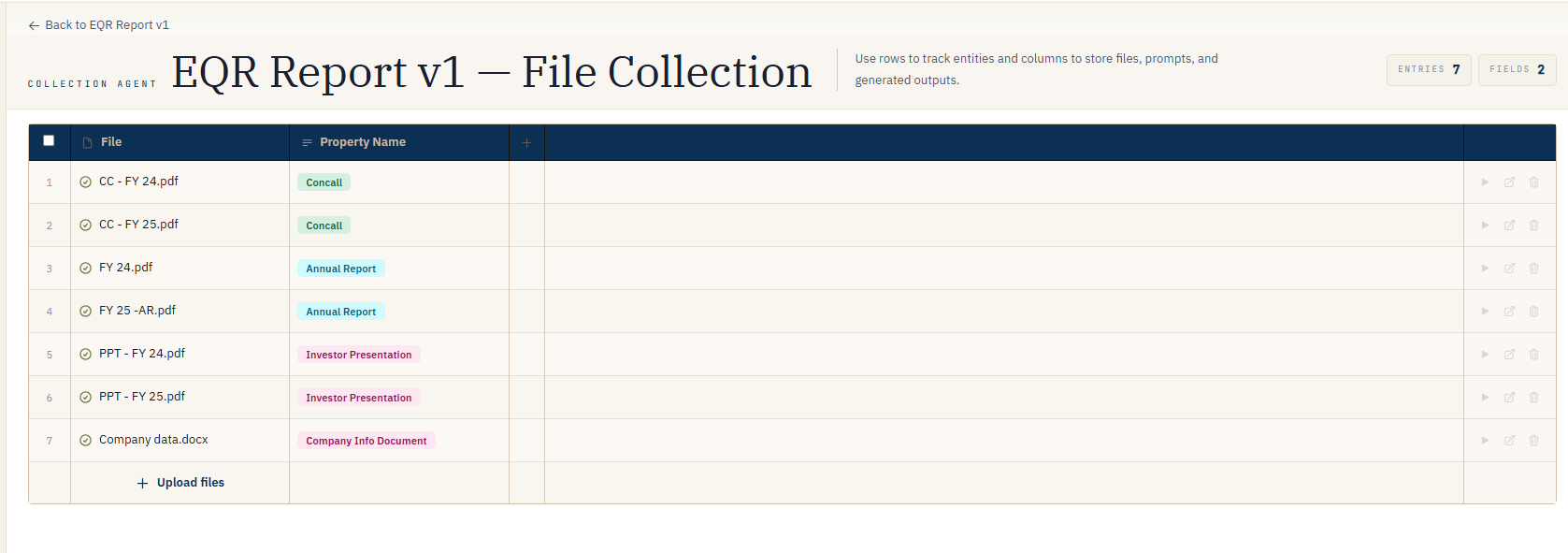
FIG. 8.1 — Several files in one cell becomes a link, not a list.
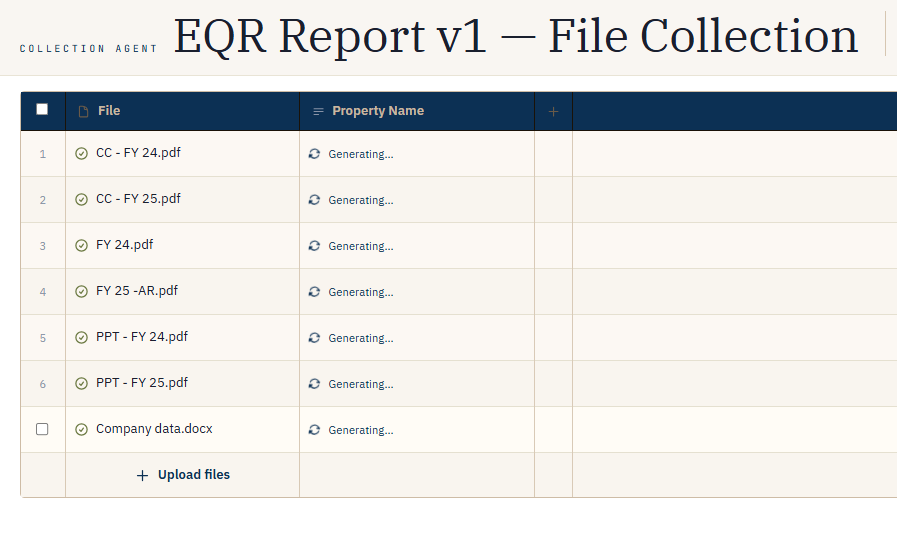
FIG. 8.2 — Inside the collection: same grid model, scoped to one cell's files.
Why this matters
It means one agent can mix two levels of analysis without you building two agents: a top-level row asking "what's in this vendor's folder overall," and — for any row where that folder turned out to hold five contracts instead of one — a one-click drill-down asking the same fine-grained questions of each contract separately.
Note
Collections go one level deep. A row inside a collection takes a single file per input cell — you can't open a collection inside a collection.
Scoping a question to one file in the collection
Inside a collection, prompts can mention a specific filename to read just that document
— the same @FileName mention covered in
Prompting 101, just narrower because
there are fewer files in scope to begin with.