01.1 — Getting Started
What is an Agent?
An Agent is a workspace for analyzing a set of documents the same way every time. It looks and works like a spreadsheet: rows are the documents you're processing, columns are the questions you're asking, and every cell is either something you uploaded or something the AI generated from it.
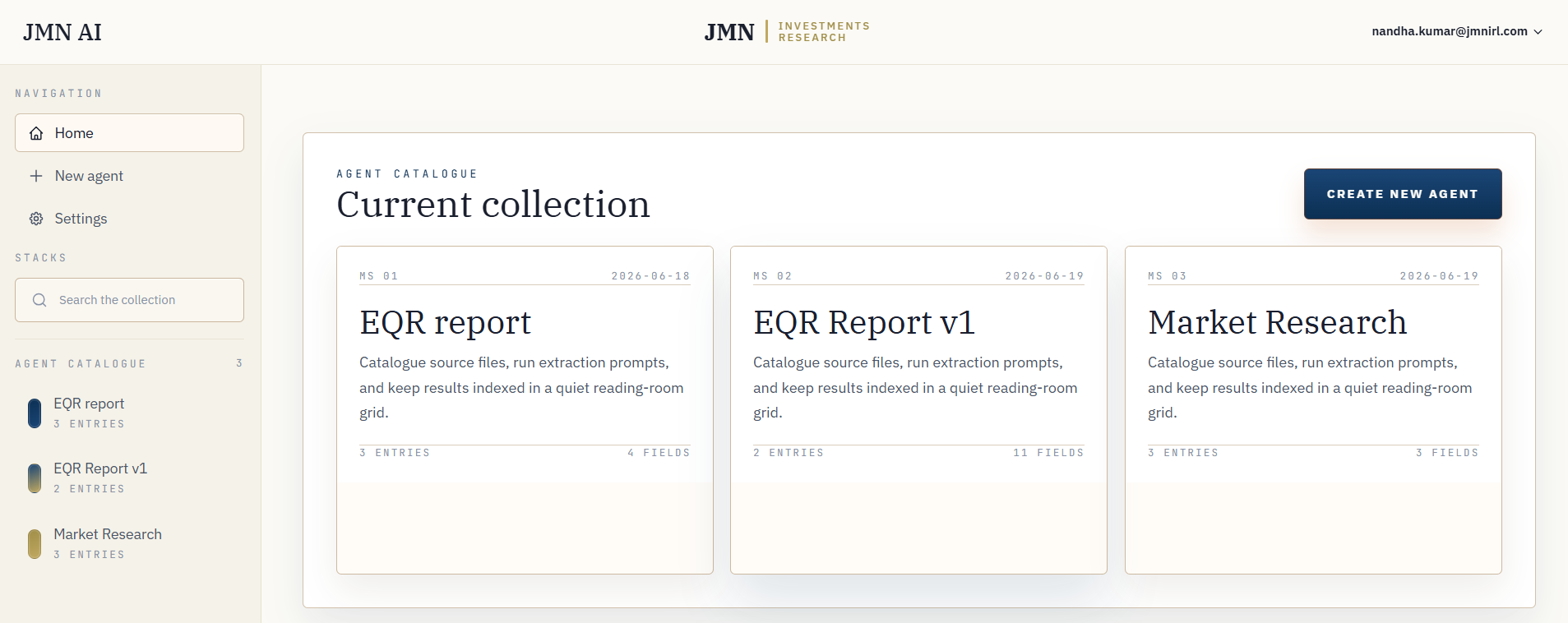
FIG. 1.1 — The dashboard: every agent you've built, in one place.
The model: Agent → Properties → Rows
Everything in JMN AI is built from three things, and once you can name them you can read any agent at a glance:
- Agent — a named workspace built around one kind of document or one kind of question. "Loan Agreements," "Vendor Contracts," "Q3 Filings" — each is its own Agent.
- Property — a column. A property is either input (a file you upload) or output (something the AI writes after reading the input, based on a prompt you give it).
- Row — one document being analyzed. Each row has a cell for every property — the file you gave it, and every answer generated about it.
Why a spreadsheet, not a chatbot
A chat window forgets your question is part of a process. An Agent makes the process visible: once you've written a good prompt for one column, it runs against every row, the same way, every time. Add a new document, and every existing question runs against it automatically — you're not re-explaining yourself per document.
Note
Output properties don't just answer in plain text. Each one has an output type — text, number, date, tag, JSON, table, or file — so downstream uses (exports, filters, other columns) can rely on the shape of the answer, not just its wording. See Properties Explained.
What happens when you run a cell
Behind an output cell, the document isn't just handed to the AI whole. It's split into chunks, the chunks most relevant to your specific prompt are retrieved, and only those are used to answer — with citation markers pointing back to exactly where in the source document each fact came from. This is what keeps answers grounded instead of guessed. The full mechanics are in Tools & How They Work.