02.2 — Building Agents
Tools & How They Work
Every output property has a tool setting. Most of the time that's just "which model answers this" — but four of the options replace the model entirely with a different kind of engine. This page covers both.
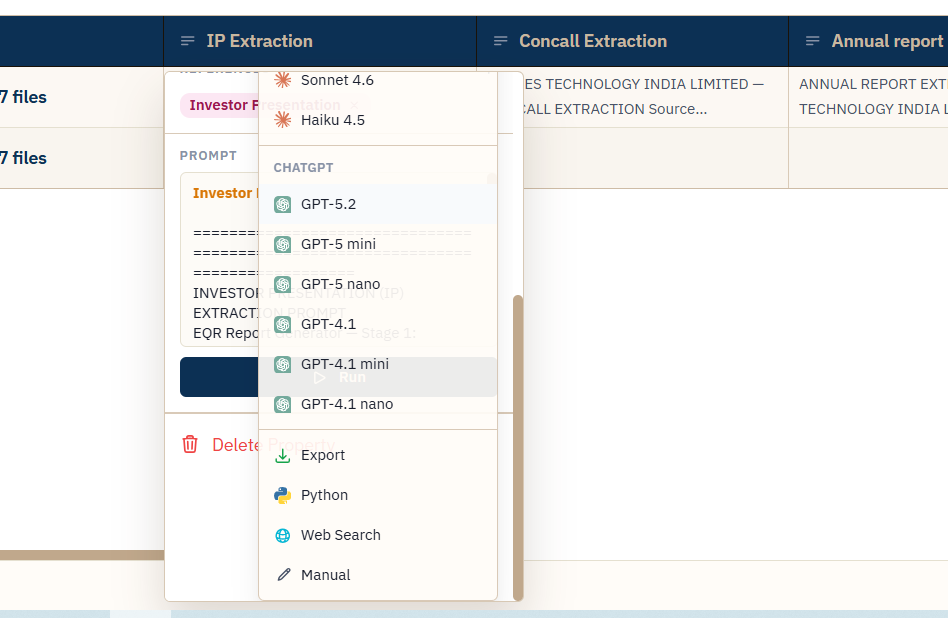
FIG. 4.1 — One dropdown, two kinds of choice: a model, or a tool.
How a normal (model) cell answers
When the tool is a model — Claude or ChatGPT — the cell doesn't get handed the entire source document by default. The document was already split into chunks during upload; running the cell retrieves only the chunks most relevant to that property's prompt, and the model answers from those, with citation markers pointing back to exactly which chunk each fact came from. This is what keeps answers grounded instead of guessed, and it's why a 200-page filing doesn't blow out the prompt for a one-line question.
This default — called Selective context mode — is the only option for ChatGPT models. Claude models can instead be switched to Full Doc mode, which sends the entire source PDF natively to Claude instead of retrieving chunks. Full Doc is slower and costs more per run, but it's the right call when an answer depends on structure or cross-references retrieval might miss — a table spanning several pages, or a clause that only makes sense next to the one before it.
Cost note
Full Doc mode holds the whole document in memory for the duration of the run, so it's capped on how many can run at once per server. On a large "run all," expect Full Doc columns to queue rather than fire instantly — that's the cap working as intended, not a stall.
The four non-model tools
| Tool | What it does |
|---|---|
| Export | Fills in a Word template you've uploaded for the agent (Template.docx), substituting the same @mentions you'd use in a prompt with that row's actual values, and produces a downloadable .docx per row. Output type locks to File automatically. |
| Python | Runs a short script you write, in a locked-down sandbox — no filesystem, network, or process access (one narrow exception: a financial-data lookup helper). Prior columns are available as plain variables via @mentions. Off by default until an administrator enables it for your environment. |
| Web Search | Listed alongside the other tools for prompts that need a live, open-web lookup rather than your uploaded files. |
| Manual | Turns the column into a plain editable field — you (or a teammate) type the value directly into the cell. Nothing runs; output type locks to Text. |
Before you demo this
Web Search is newly added to the tool list. Confirm with engineering exactly what it does in your environment before relying on it in front of a client — behavior can differ from the other three special tools above.
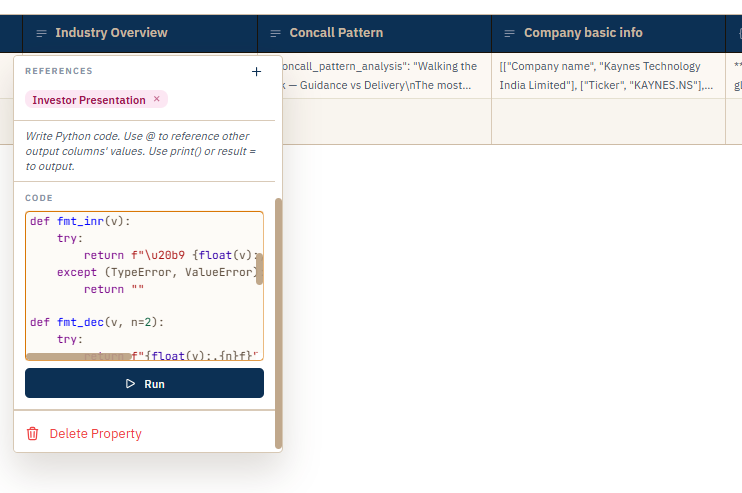
FIG. 4.2 — A Python column: code in, coerced result out.